
Is your administrator a visionary leader? Are you a visionary administrator? Effecting fundamental change in an educational environment is definitely challenging for even the most innovative leaders. People are resistant to change, even when something isn’t working, and shifting a school’s or district’s paradigm requires a solid plan, competence, and inspiration.
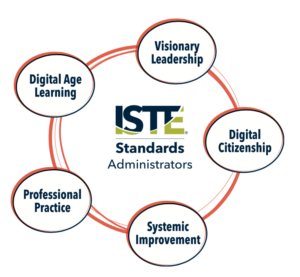 ISTE (International Society for Technology in Education) has updated its standards for students, teachers, coaches, and administrators to reflect a positive, non-platform or skill-based vision for the future (and present.)
The five focus areas for administrators include:
- Visionary Leadership
- Digital Age Learning Culture
- Excellence in Professional Practice
- Systemic Improvement
- Digital Citizenship
ISTE’s standards for administrators are jam packed with action verbs: inspire, facilitate, engage, advocate, create, promote, ensure, model, collaborate, recruit, establish.
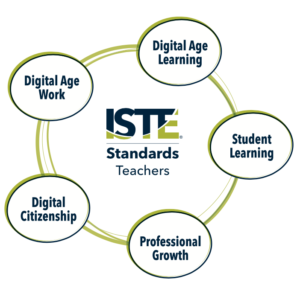
Teachers- download and share the ISTE standards with your principal and district administrators to begin a dialogue about effective technology use in schools. Remember, it’s not effective educational technology if it can be replaced by a workbook or worksheet.
ISTE Administrator Standards PDF (ISTE encourages free use of the ISTE Standards for noncommercial educational purposes under our permitted educational use agreement. The permitted educational use agreement grants permission to download, link to, digitally publish and/or import the standards into your intranet or other digital platform.)
ISTE’s Lead & Transform tool provides educational visionary leaders with a road map to tech integration. Matching your school or district’s current technology environment to the 14 critical elements in a research-backed framework can lead systemwide change. Find your school’s strengths and weaknesses. Identify steps to effective implementation.



 Creating a class is simple! Just sign up at
  Once you’ve added your students, click the green Add Recap button to enter your first question. Give your question a title, put what you want answered, then click next.
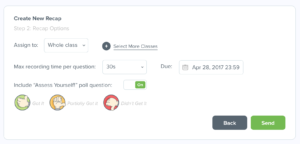 Specify the duration of the recap, 30 seconds to two minutes. You can also add a self-evaluation of understanding of the concept. Enter a due date and send the recap to your students. You can also send your recap to more than one class at a time.
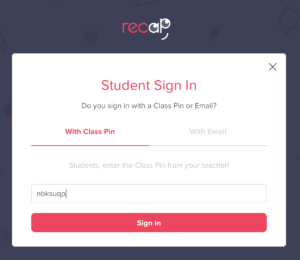 When students log in, they’ll see
 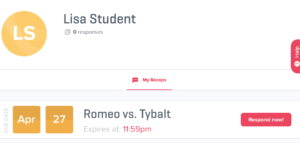 their recaps on their dashboard. They’ll click Respond now. They’ll need to allow Recap to use the microphone and camera on their device.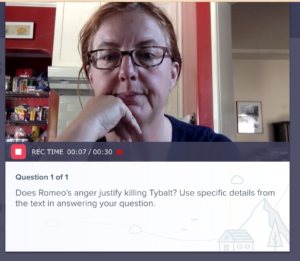

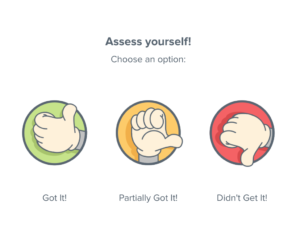
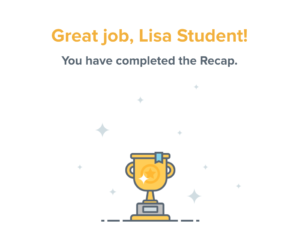
 Last, they need to hit that red submit button in the lower right hand corner. This is where most students go awry, because once they see their trophy, they think they’re done. Not the most intuitive of interfaces, but I think Recap will fix things with their UX once they have enough feedback.
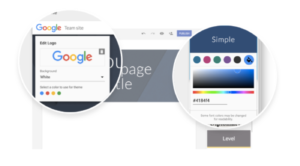 Personalize your presence!

 Seesaw provides a safe and robust way to compile your students’ digital and analog work into online portfolios.